
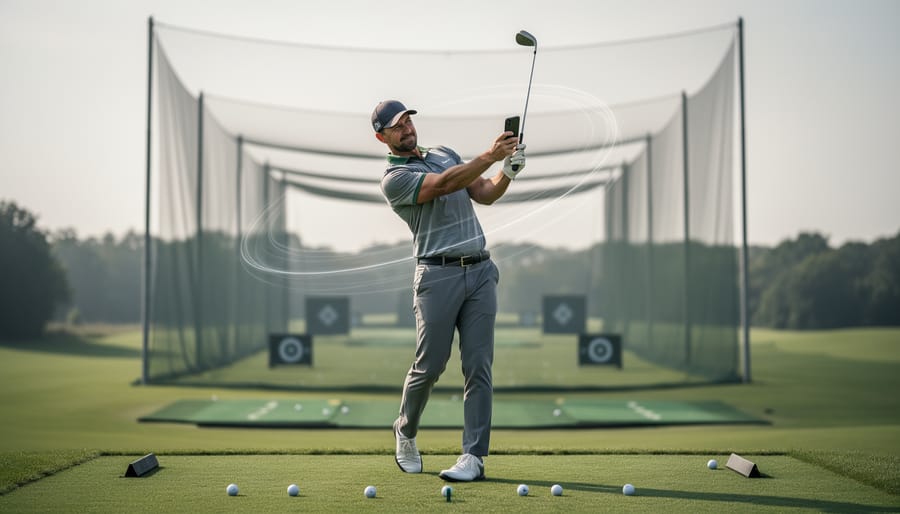
Virtual golf lessons connect you with PGA-certified instructors through your phone or tablet, delivering personalized swing analysis, video tutorials, and real-time feedback without ever setting foot at a physical golf school. Whether you’re a complete beginner looking to build fundamentals or an experienced player fine-tuning your technique, remote instruction has become a practical alternative to traditional in-person coaching, offering flexibility that fits around your schedule and budget.
The technology is straightforward. Record your swing using a free app like Skillest, submit the video, and receive expert analysis directly on your device. Many platforms include live chat options for immediate questions, plus access to extensive video tutorial libraries covering everything from full swing mechanics to short game finesse. On-demand coaching means you can practice at your local range, backyard net, or even indoors, then get professional guidance within hours rather than waiting weeks for an appointment slot.
What makes virtual lessons particularly appealing for our community is the accessibility factor. Sessions typically run significantly less than traditional hourly rates, with some programs including virtual coaching as part of broader memberships. You’re learning from qualified professionals who understand how to teach through a screen, breaking down complex movements into visual checkpoints you can reference during practice. For families balancing busy calendars or players in areas without nearby instruction, remote lessons remove the barriers that often keep people from improving their game.
What Are Virtual Golf Lessons and How Do They Work?
Virtual golf lessons bring professional instruction to your device, letting you learn from PGA-certified pros without stepping onto a course. Instead of scheduling in-person sessions, you record your swing using a smartphone or tablet, then receive personalized video feedback and coaching through dedicated apps or platforms. This approach has transformed how golfers access expert guidance, making it possible to work on your technique from your backyard, basement, or local driving range.
The delivery formats vary to suit different learning styles and schedules. Live chat options connect you directly with instructors in real time, perfect for getting immediate answers to specific questions. Many programs include full swing and short game video tutorials paired with Q&A forums where you can ask the coach about technique points covered in each lesson. On-demand coaching lets you submit swing videos whenever it’s convenient, receiving detailed analysis within a day or two rather than waiting for your next scheduled appointment.
Getting started requires minimal technology. Download the free Skillest App on your phone or tablet, set it up to record from a helpful angle, and you’re ready to capture your swing. The app guides you through proper video setup so instructors can analyze your movements clearly. Once submitted, a certified pro reviews your technique, often highlighting specific positions in your swing and explaining adjustments with voice-over commentary or written notes.
This model works because it focuses on the modern fundamentals that apply universally, whether you’re learning in person or remotely. Instructors can identify grip issues, posture problems, swing plane errors, and tempo challenges just as effectively through video as they can standing beside you. The ability to review feedback multiple times actually helps many golfers absorb corrections better than trying to remember everything from a single in-person session.
Who Can Benefit From Virtual Golf Instruction?
Virtual golf instruction works for just about anyone who wants to improve their game, regardless of where they’re starting from or what’s holding them back from traditional lessons.
If you’re new to golf, virtual lessons offer a low-pressure way to learn the fundamentals without feeling self-conscious on a crowded range. You can record your swing in your backyard, submit it through an app, and receive personalized feedback from a PGA-certified pro who’ll break down your grip, stance, and swing plane in simple terms. There’s no rush, no audience, and you can rewatch tutorials as many times as you need.
Intermediate players who’ve plateaued often find virtual coaching invaluable for refining specific elements of their technique. Maybe your driver’s consistent but your short game needs work, or you’re struggling with a persistent slice. Virtual instruction lets you focus on targeted areas with expert analysis of your actual swing, not generic advice.
Busy professionals appreciate the flexibility most. When your schedule doesn’t align with your local pro’s availability, or you travel frequently, virtual lessons adapt to your life. Record a swing during your lunch break, get feedback that evening, and practice the adjustments on your timeline.
Families looking for family bonding activities can learn together through virtual instruction. Parents and kids can work on fundamentals simultaneously, share videos with the same coach, and practice in the backyard before heading to the course together.
Even if you already take in-person lessons, virtual coaching serves as excellent supplemental instruction between sessions. Submit swing videos between your regular appointments to maintain momentum and address questions that arise during practice.
Getting Started With Virtual Lessons
Technology and Setup
Getting started with virtual golf lessons requires minimal equipment, making it accessible for most golfers. First, download the free Skillest App on your phone or tablet, it’s the platform many PGA-certified pros use to deliver remote instruction. Once installed, you can record your swing and submit it for expert feedback directly through the app.
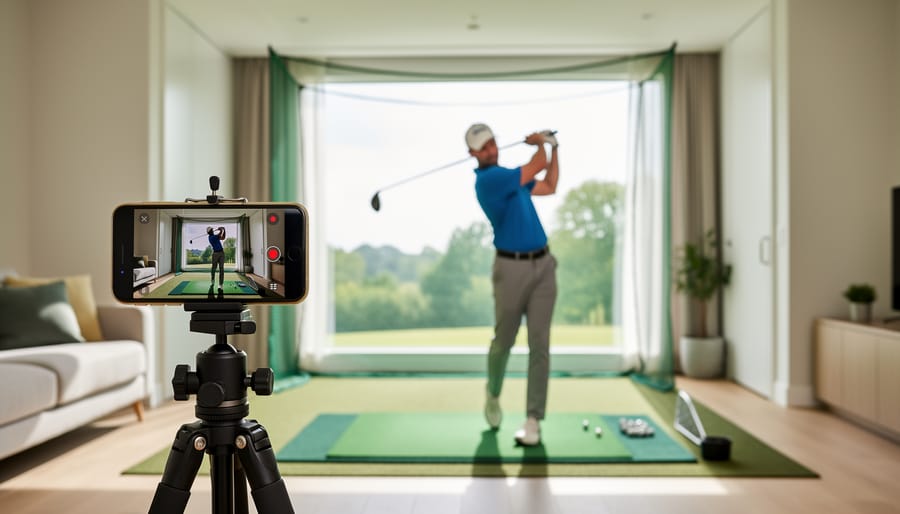
Your recording space doesn’t need to be elaborate. Find an area with enough room to swing freely, whether that’s your garden, a park, or even a spacious living room for practice swings. Position your phone at waist height, about eight feet away, angled to capture your full body from head to toe. Make sure the camera faces you from the side to show your swing plane clearly.
Good lighting makes a significant difference in video quality. Natural daylight works best, but if you’re recording indoors, position yourself facing a window or use bright overhead lights to eliminate shadows. Avoid filming with the sun directly behind you, as this creates a silhouette effect that obscures your form.
Set your phone to landscape mode and ensure the video is stable, lean it against your golf bag, use a small tripod, or prop it on a chair. A steady, well-lit video allows your instructor to analyse your mechanics accurately and provide meaningful feedback.
Finding the Right Instructor
Selecting the right virtual instructor begins with looking for PGA-certified professionals who have experience teaching online. These credentials ensure you’re learning from qualified coaches who understand proper swing mechanics and teaching methods. However, certification alone doesn’t guarantee the right fit for your learning style.
When you choose golf lessons consider how each instructor communicates in their profile videos or introductory content. Some coaches excel at breaking down complex movements into simple steps, while others take a more technical approach. Watch sample feedback videos if available to see whether their teaching style resonates with you.
Be upfront about your goals from the first interaction. Tell your instructor whether you’re struggling with a specific shot, preparing for tournament play, or simply want to enjoy more consistent rounds. Share your current handicap or skill level, any physical limitations, and how much time you can realistically dedicate to practice. The more context you provide, the better your coach can tailor feedback to your situation.
Don’t hesitate to ask questions about their coaching philosophy, response time for swing reviews, and how they structure their virtual programs. A good instructor will welcome this dialogue and help you understand exactly how the remote learning process will work.
What to Expect: The Virtual Lesson Experience
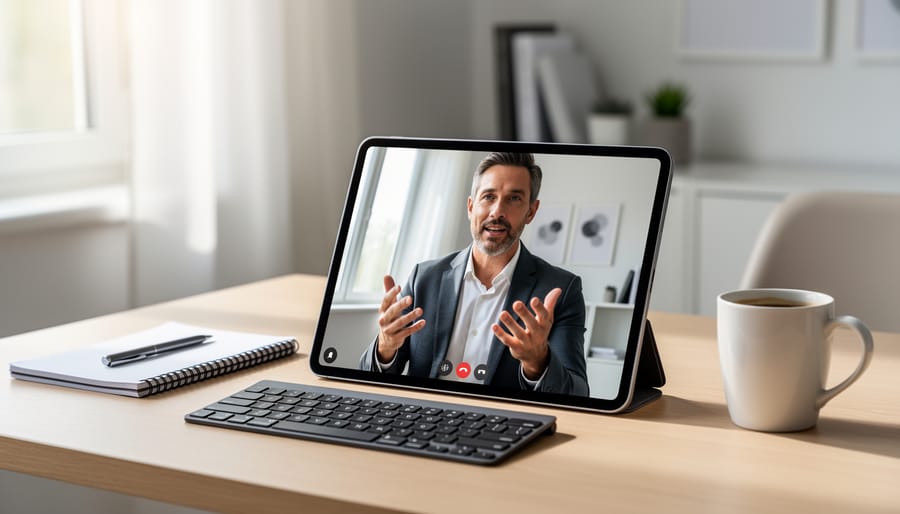
Your virtual golf lesson journey begins the moment you press record on your phone. Here’s what the process typically looks like, from that first swing capture through to seeing real improvement in your game.
The Virtual Lesson Process:
- Record your swing using your phone or tablet, capturing multiple angles if possible, face-on and down-the-line views give your instructor the clearest picture of your mechanics.
- Upload the video through your chosen platform’s app, adding notes about what you’re struggling with or what feels off in your swing.
- Receive personalized video feedback from your PGA-certified instructor within 24-48 hours, complete with drawn lines, slow-motion breakdowns, and specific drills tailored to your swing.
- Review the analysis at your own pace, rewatching sections as needed to fully understand the adjustments your pro recommends.
- Practice the suggested changes and film follow-up swings to track your progress and submit for additional review.
Beyond this core feedback loop, most virtual coaching platforms offer additional interactive elements that deepen your learning. Many memberships include full swing and short game video tutorials you can access anytime, each covering specific techniques or common problems. Q&A forums let you ask questions directly on tutorial videos, creating an ongoing dialogue with your coach rather than isolated one-off lessons.
The live chat option available through some platforms means you’re not waiting days for simple questions, whether you need clarification on a drill or want quick feedback before heading to the range. This combination of structured lessons and flexible communication creates a continuous learning environment that fits around your schedule rather than dictating it.
Virtual Lessons vs. In-Person Instruction: Finding Your Balance
Virtual lessons and in-person coaching each offer distinct advantages, and most golfers find their fastest progress comes from blending both approaches into a cohesive training program.
In-person instruction excels when you need immediate physical adjustments. A pro standing beside you can feel your grip pressure, adjust your posture on the spot, and demonstrate the exact movement you’re missing. Complex changes to swing mechanics, particularly those involving timing and tempo, often click faster with hands-on guidance. You also get the benefit of hitting real shots on a range or course, receiving instant feedback on ball flight.
Virtual lessons shine for ongoing refinement and flexibility. Once your instructor has identified key areas to work on, you can film practice sessions at your convenience and receive detailed video analysis breaking down your progress. This format works brilliantly for busy schedules, letting you fit instruction around family and work commitments without the travel time. The ability to review coaching feedback repeatedly helps many golfers retain concepts better than a single in-person session.
Cornerstone members can seamlessly combine both learning styles, starting with in-person lessons to establish proper fundamentals, then using virtual coaching through platforms like Skillest to maintain progress between sessions. Your PGA-certified instructor can track your swing evolution remotely, catching flaws before they become habits, while you continue building on the physical foundation laid during face-to-face sessions. This integrated approach keeps you accountable and accelerating without requiring weekly trips to the course.
Making the Most of Your Virtual Coaching
Getting the most from virtual coaching comes down to preparation and consistency. Start by recording clear swing videos from multiple angles, set your phone at waist height about six feet away, capturing both face-on and down-the-line views. Film in natural light when possible, and choose an uncluttered background so your instructor can focus entirely on your movement. Five to seven swings recorded in one session gives your coach enough footage to spot patterns without overwhelming them with content.
Share context that helps your instructor tailor their feedback. Mention what you’ve been working on recently, specific shots that frustrate you, and what you hope to improve. If you’re struggling with a slice, say so upfront rather than hoping they’ll notice. The more specific your questions, the more actionable their responses will be.
Set small, measurable practice goals between sessions. Instead of aiming to “fix my swing,” commit to three drills your instructor recommended, practiced twice weekly. Track what you work on and how each session feels, a simple notes app works perfectly. This record shows your coach what’s clicking and what needs adjustment, making each follow-up lesson more productive.
Stay engaged by reviewing your video tutorials regularly and participating in Q&A forums. Treat virtual coaching as an ongoing conversation, not a one-time fix. Most golfers see meaningful improvement within four to six weeks when they consistently apply feedback and communicate openly with their instructor about what’s working.
Common Questions About Virtual Golf Lessons
How much do virtual golf lessons cost?
Pricing varies by platform and instructor, but many services offer accessible entry points. For example, some membership options include on-demand coaching for £59.97, which typically covers full swing and short game video tutorials plus direct access to PGA-certified coaches through Q&A forums.
Can complete beginners really learn golf through virtual lessons?
Absolutely. Virtual instruction is particularly effective for beginners learning fundamental grip, stance, and swing mechanics. PGA-certified pros can analyze your recorded swing and provide clear, personalized feedback on exactly what to adjust, often with accompanying video tutorials that you can reference repeatedly as you practice.
What equipment do I need to get started?
You’ll need a smartphone or tablet to record your swing and access coaching platforms like the free Skillest App. Beyond that, just your regular golf clubs and enough space to safely swing, your backyard, a local park, or any practice area works fine.
How much time should I commit each week?
Most golfers see meaningful progress with two to three practice sessions per week, spending 30-45 minutes working on the specific feedback from their coach. The flexibility of virtual lessons means you practice when it suits your schedule, whether that’s early mornings or weekend afternoons.
How quickly will I see improvement in my game?
Many golfers notice changes within three to four weeks of consistent practice, though individual progress varies based on your starting point, practice frequency, and how well you apply the feedback. The advantage of virtual coaching is having permanent access to your instructor’s video analysis, so you can review corrections as often as needed between sessions.
The beauty of virtual golf instruction lies in its adaptability to your unique situation. You’re not locked into rigid schedules or rushing to make a lesson time after work. Instead, you record your swing whenever convenient, submit it for analysis, and receive expert guidance that you can digest at your own pace. This format particularly suits families learning together, everyone can share feedback, compare progress, and support each other’s improvement journey without coordinating multiple in-person appointments.
Remember that virtual lessons complement rather than limit your development. Many golfers start remotely to build solid fundamentals, then transition to occasional in-person sessions for fine-tuning, or use virtual coaching to maintain progress between traditional lessons. The key is finding the rhythm that keeps you engaged and moving forward, regardless of where you’re starting from or how your schedule looks.
Virtual golf lessons have transformed how golfers pursue improvement, removing the barriers of geography, packed schedules and intimidating clubhouse culture. Whether you’re a parent squeezing practice into naptime, a beginner hesitant about your first in-person lesson, or an experienced player fine-tuning a specific move, remote coaching meets you where you are. Professional instruction that once required driving across town and blocking out two hours is now as accessible as your phone.
At Cornerstone Golf Club, we believe golf should welcome everyone, and virtual lessons embody that spirit. They complement our community’s inclusive approach by giving every member another path to growth, on their own timeline and in their own space. You don’t need the perfect swing to start, just the willingness to learn. Try recording a few swings this week, explore a coaching app, or ask a PGA-certified pro a question you’ve been wondering about. Your golf journey is yours to shape, and the tools to improve have never been more within reach.